

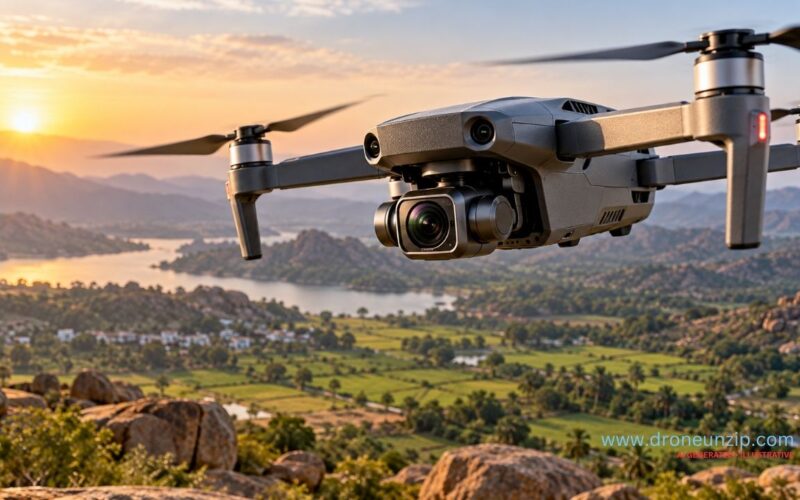
If you are researching drone camera 4K options, resolution is an important starting point, not a guarantee of image quality. 4K records far more pixels than Full HD, giving you more detail and flexibility when cropping or editing aerial footage. Sensor size, lens quality, bitrate, frame rate, lighting and stabilization all shape the final result.
This guide explains what 4K means, when it makes a visible difference, what specifications to compare, and how Indian buyers can avoid paying extra for a resolution number that does not match their needs.
What does 4K mean on a drone camera?
For most consumer drone video, 4K UHD means a frame measuring 3,840 × 2,160 pixels. Full HD, usually called 1080p, measures 1,920 × 1,080 pixels. A 4K UHD frame therefore contains four times as many pixels as a 1080p frame. That creates more potential detail, but the camera must capture and encode that detail well for the difference to survive playback and editing.
Do not confuse video resolution with still-photo megapixels. A drone may advertise a high-megapixel photo mode while recording video at a different resolution, frame rate or crop. Check the actual video modes in the manufacturer’s specifications rather than relying on a headline number.
4K vs 1080p: what changes in real footage?
| Factor | 4K UHD | 1080p Full HD |
|---|---|---|
| Frame dimensions | 3,840 × 2,160 | 1,920 × 1,080 |
| Pixel count per frame | About 8.3 million | About 2.1 million |
| Cropping flexibility | More room to reframe while retaining detail | Less room before the image softens |
| File size and editing load | Usually higher, depending on bitrate, codec and frame rate | Usually lower at comparable settings |
| Best fit | Detailed landscapes, client work and footage that may be cropped | Casual recording, simpler workflows and smaller files |
The extra pixels are most useful when the scene contains fine details such as rooflines, field boundaries, tree canopies or distant buildings, or when you need to crop a wide shot during editing. If footage will be viewed only as a small mobile clip, the visible advantage may be less obvious, especially after social platforms compress the upload.
Resolution is only the ceiling for detail, not a promise of it. A poorly focused or heavily compressed 4K clip can look worse than clean, well-stabilized 1080p footage. Compare the complete camera system, not one specification.
Why sensor and lens quality still matter
The image sensor converts light into image data. Sensor size, pixel design and processing affect noise, dynamic range and how well a camera handles bright skies beside shadowed ground. A larger sensor often has an advantage in difficult light, although sensor size alone does not tell the whole story.
The lens also matters: sharpness across the frame, flare control, distortion and the lens’s field of view can change how useful the image looks. A tiny camera module can produce a 4K file, but the output may lack the fine detail or low-light performance buyers expect from the label.
For sunset flights, shaded streets or scenes with bright clouds and dark terrain, look for sample footage captured in conditions similar to your own. If possible, compare original files rather than heavily compressed social-media clips.
Bitrate and codec: how much detail survives compression?
Resolution describes the number of pixels. Bitrate describes how much data is used each second of video. At a given resolution and frame rate, more bitrate can give the encoder more room to represent complex motion and texture, though results also depend on codec efficiency and the camera’s image processing.
Video codecs such as H.264 and H.265 (HEVC) compress footage in different ways. A more efficient codec can deliver similar quality at a lower bitrate, but it may require more processing power on some editing devices. Check which codec and bitrates the exact drone supports in the recording mode you plan to use.
Higher bitrate also means larger files. Before buying, check the recommended memory-card speed and capacity in the manufacturer’s manual. A card that cannot sustain the required write speed may interrupt recording or prevent a high-quality mode from being used.
Frame rate: 24, 30, 60 fps and slow motion
Frame rate is the number of frames recorded each second. Common options include 24, 25 or 30 frames per second for standard footage and 50 or 60 fps for smoother motion or slow-motion editing on a compatible timeline. Higher frame rates can be useful for fast-moving subjects, but they may use more storage and may have limitations on particular drones or camera modes.
Do not assume every 4K drone records 4K at every frame rate. Some models limit high frame rates to selected resolutions, crops or codecs. Verify the exact mode table before purchase.
- 24/25/30 fps: suitable for many conventional travel, landscape and everyday clips.
- 50/60 fps: useful for smoother motion or moderate slow motion when edited onto a lower-frame-rate timeline.
- Higher frame rates: can support stronger slow-motion effects, but check whether resolution, crop, bitrate or codec changes.
Gimbal vs electronic image stabilization
Stabilization is crucial because aerial footage can be spoiled by vibration, sudden movement or wind. A mechanical gimbal uses motors to keep the camera oriented as the aircraft moves. Electronic image stabilization (EIS) corrects movement digitally, often by shifting and cropping the image.
A 3-axis mechanical gimbal can provide smooth camera movement while retaining more of the sensor’s image area. EIS can work well for certain designs, but the crop and processing can reduce the usable field of view or create artifacts in challenging motion. Some drones combine mechanical and electronic methods.
For planned cinematic moves, property footage or detailed landscapes, stabilization deserves as much attention as resolution. A 4K camera on a drone that shakes noticeably may not produce footage you want to keep.
What to check before buying a 4K drone camera in India
Start with the job you need the drone to do, then compare the camera and aircraft together. Our drone camera buying guide explains broader camera types and features; this checklist focuses on verifying a 4K recording setup.
| Check | Why it matters |
|---|---|
| Actual 4K recording modes | Confirm resolution, frame rates and whether modes use a crop. |
| Gimbal or EIS | Determines how well the camera handles aircraft movement. |
| Sensor and lens | Influences detail, low-light performance and image character. |
| Bitrate and codec | Affects compression quality, file size and editing compatibility. |
| Storage requirements | Check supported card type, capacity and sustained write speed. |
| Battery and real flight planning | Allow time for safe return and landing rather than assuming advertised maximum endurance is all usable filming time. |
| Repair, battery and service costs | Consider ownership costs alongside the initial price; our drone price guide for India covers broader cost considerations. |
| Rules and operating location | Check current Indian drone rules and airspace requirements before flying. Camera capability does not grant permission to operate anywhere. |
Also look for sample footage from the exact model and firmware version. Marketing images cannot show how the camera handles fine texture, changing exposure, propeller vibration or low light. If you are comparing compact models, our mini drone buying guide covers portability and other trade-offs.
Common 4K camera claims to treat carefully
- “4K camera” does not always mean 4K video recording. Confirm the actual video modes, not only the photo resolution or listing headline.
- Digital zoom is not the same as optical zoom. Digital zoom enlarges or crops existing image data and may reduce detail.
- Maximum range is not a camera-quality measure. Transmission range and recorded video quality are separate specifications.
- Advertised bitrate is not a complete quality score. Sensor, optics, processing, codec and lighting all influence the result.
- 4K does not remove motion blur. Exposure, frame rate, aircraft movement and stabilization still matter.
FAQs
Is a 4K drone camera better than 1080p?
It can capture more detail and gives you more room to crop or reframe footage. But the result depends on sensor and lens quality, bitrate, lighting and stabilization. A well-made 1080p camera can outperform a weak 4K camera in some conditions.
Does every 4K drone record at 60 fps?
No. Supported frame rates vary by model and sometimes by camera mode. Check the official specification table for the exact resolution, frame rate, crop and codec combinations.
Does a 4K drone need a special memory card?
It may need a card with a specified capacity and sustained write speed. Follow the drone maker’s manual rather than choosing a card only by its advertised read speed.
Is 4K worth it for YouTube or social media?
It is useful if you want cropping flexibility, detailed source footage or high-resolution playback. For casual short clips, good stabilization and exposure may matter more than resolution alone. Social platforms may also compress uploaded video.
What matters more: 4K resolution or a gimbal?
They solve different problems. Resolution affects potential detail; a gimbal helps keep the camera steady. For smooth aerial video, a well-stabilized camera is often more useful than a higher resolution on an unstable platform.
Conclusion
A 4K drone camera can be a strong choice for aerial footage that needs detail and editing flexibility, but the resolution label should be only one part of your decision. Compare sensor and lens quality, bitrate, supported frame rates, stabilization, storage requirements and the footage produced in real conditions. For Indian buyers, weigh those camera features against the aircraft’s suitability, service support, ownership costs and the rules that apply to the intended flight.
