

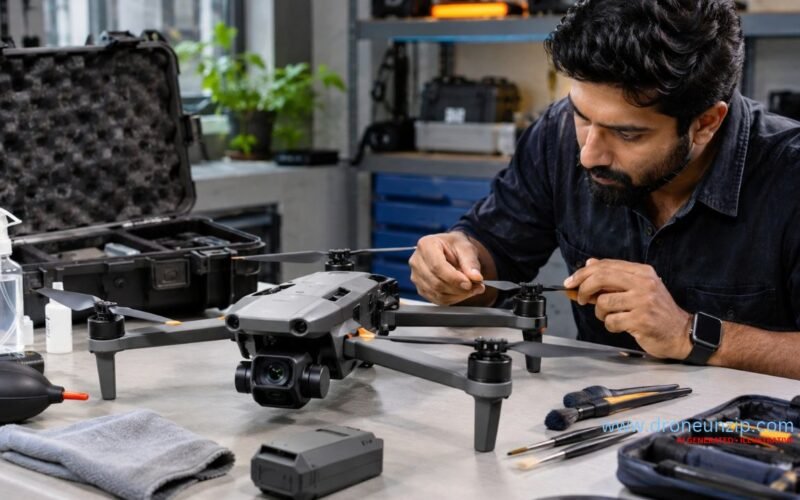
Drone maintenance is the routine inspection, cleaning, battery care, storage and model-specific servicing that helps identify preventable problems before they affect a flight. A practical routine checks the airframe, propellers, motors, batteries, camera, gimbal and aircraft status before and after flying.
A drone can power on even when a propeller is damaged, a battery has deteriorated or an arm has developed a crack. The correct maintenance routine depends on the aircraft: a foldable camera drone, an FPV quadcopter and an agricultural UAV may have very different instructions.
This guide gives drone owners in India a preventive maintenance checklist covering pre-flight and post-flight inspections, cleaning, lithium-battery handling, storage, India’s environmental conditions and warning signs that mean the aircraft should remain grounded. Always follow the original equipment manufacturer’s manual for the exact model.
What Is Drone Maintenance and Why Does It Matter?
Drone maintenance comprises the inspection and care needed to keep an aircraft suitable for its intended use. It is not limited to checking whether the aircraft starts. Some faults are visible in a pre-flight inspection; others become apparent through warning messages, recorded behaviour or model-specific diagnostics.
- Identify damaged propellers, loose components or structural damage before a flight.
- Recognise battery, power and electrical warning signs early.
- Reduce avoidable effects of dirt, moisture and unsuitable storage.
- Protect exposed optical surfaces, cameras and gimbal mechanisms.
- Keep maintenance records so recurring faults can be traced.
- Recognise when a task requires qualified service rather than owner-level care.
Preventive maintenance does not guarantee fault-free operation. It complements sound flight planning, safe handling and the applicable operating requirements.
Preventive maintenance versus repair
A routine inspection or permitted exterior cleaning is preventive maintenance. Replacing a fractured drone arm or diagnosing a failed circuit board is repair. If a fault already exists, do not treat a checklist as evidence that the drone is airworthy. Our Drone Repair in India guide covers servicing choices, replacement decisions and repair costs without duplicating this preventive-maintenance guide.
Drone Maintenance Checklist at a Glance
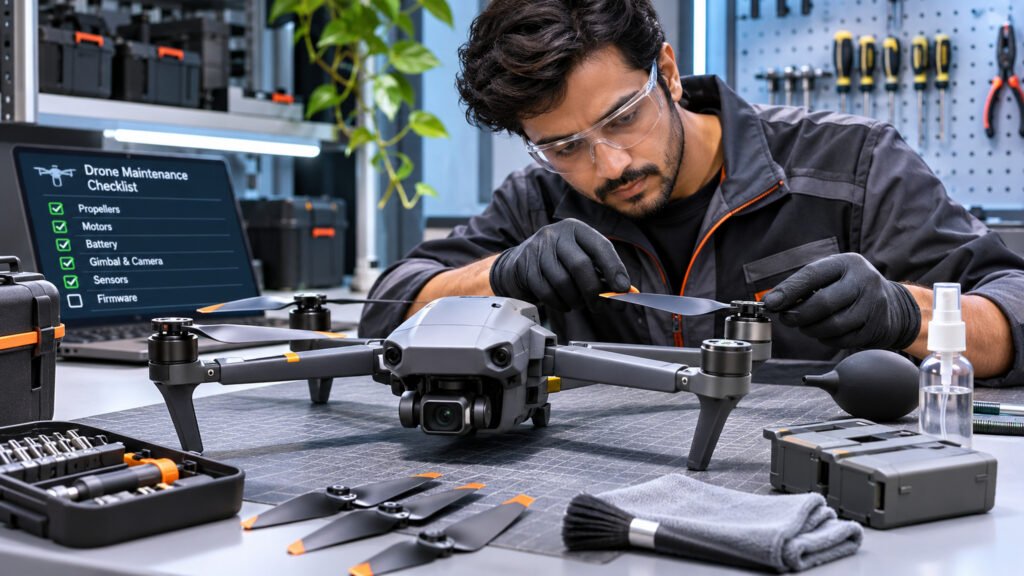
Different checks belong at different stages of drone ownership. The following table is an editorial inspection framework, not a manufacturer’s service schedule.
| When | What to check | Purpose |
|---|---|---|
| Before every flight | Propellers, airframe, motors and visible damage | Identify obvious mechanical faults |
| Before every flight | Battery condition, secure fit and system messages | Check power and readiness |
| Before every flight | Camera, gimbal and sensor surfaces | Check for obstruction or contamination |
| After every flight | Damage, debris, moisture and abnormal behaviour | Spot changes arising during operation |
| After every flight | Battery condition and temperature | Support appropriate cooling and handling |
| Before storage | Clean, dry, protected equipment | Reduce environmental deterioration |
| During storage | Battery state and storage conditions | Follow model-specific long-term care |
| Periodically | Mounts, connectors, logs and software status | Support condition-based inspection |
Where the manufacturer prescribes inspection intervals, part-life limits or maintenance procedures, use those instructions instead.
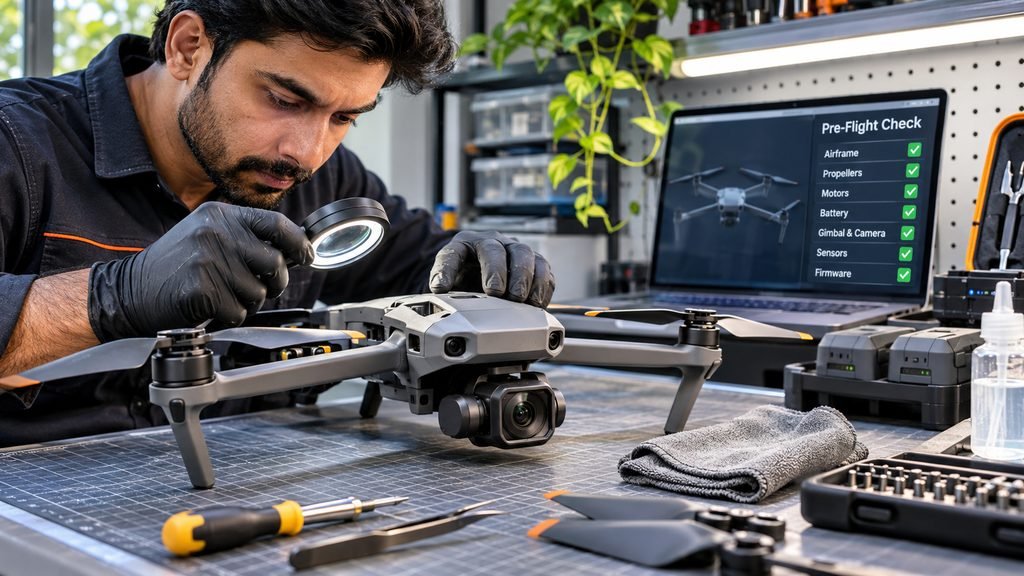
Pre-Flight Drone Inspection: What to Check Before Take-Off
Start with the drone powered off in a clean, well-lit place. Examine the aircraft without accidentally activating the motors.
Inspect the airframe and arms
Look for cracks, deformation, missing pieces and signs of impact. For folding drones, ensure the arms open into their intended positions and that the hinges and locks appear undamaged. Give special attention to motor mounts and landing gear. Do not fly an aircraft with a cracked structural arm or an unexpectedly loose joint.
Check every propeller
Look for chipped edges, cracks, bending, deformation, worn hubs or insecure attachment. A small defect can change a blade’s behaviour under load. Replace damaged propellers according to the product manual instead of gluing or bending them back.
Inspect the motors and mounting
With power isolated as prescribed by the manufacturer, look for visible damage, debris and abnormal wear. Do not force a sealed motor to rotate or disassemble it without an approved procedure. Unusual motor noise, vibration or overheating should be investigated before the next flight.
Inspect and install the battery
Check for swelling, punctures, cracks, leakage, damaged terminals or unusual deformation. Confirm that a compatible battery is correctly seated and locked. A visibly damaged or swollen battery must not be charged or flown.
Check the camera, gimbal and sensors
Look for contamination or obstruction. Where the manufacturer requires it, remove the gimbal transport protector before switching on the aircraft. Never force the camera mechanism by hand.
Check power-on warnings and flight readiness
Follow the prescribed startup order, review the controller/app for battery, sensor or firmware warnings, and confirm that the control link is functioning. For modes requiring GNSS, check positioning and home-point readiness. Never bypass a safety warning to force take-off. Our Drone Safety for Beginners in India article covers broader operational precautions.
Post-Flight Drone Maintenance Checklist
An after-flight inspection can identify faults that appeared during operation, especially after dusty or windy flights.
- Power down safely: Follow the shutdown sequence and allow appropriate cooling before handling warm components.
- Inspect for new damage: Check blades, arms, landing gear, camera mounts and exposed connections.
- Look for debris and moisture: Inspect accessible areas without forcing dirt into motors or electronic openings.
- Review unusual behaviour: Record unexpected vibration, control warnings, heating or sensor messages.
- Prepare for transport: Fit approved camera or gimbal protectors and secure equipment only after shutdown.
If the aircraft becomes wet, wiping the surface is not proof that it is safe to restart. Follow the model’s water-exposure procedures and seek service when required. A short test flight is not a safe substitute for diagnosing suspected structural damage.
How to Clean a Drone Safely
Cleaning methods must suit the exact component. A procedure accepted for an external airframe surface is not automatically appropriate for an optical lens, sensor coating, bearing or circuit board.
Airframe and exterior
Power down the drone and remove the battery where the manual allows. Use a soft, clean cloth or suitable brush to remove surface dust without pushing it into vents or exposed mechanisms. DJI’s general care advice permits certain materials for some exterior surfaces, but it does not authorise using the same chemical on every aircraft or camera component.
Camera lens and vision sensors
Use the manufacturer-approved lens or sensor-cleaning method. First remove loose abrasive particles, then carefully clean the surface with a suitable optical material. Avoid unapproved household cleaning solutions that may damage coatings.
Motors and openings
Do not insert tools into sealed motors or push grit into bearings. High-pressure water, uncontrolled compressed air and penetrating liquids should not be treated as universal drone-cleaning techniques. When contamination cannot be removed using documented owner-level methods, seek appropriate service.
What to avoid
- Do not immerse a non-waterproof drone in water.
- Do not spray liquids into vents, connectors or camera assemblies.
- Do not use aggressive solvents without explicit manufacturer approval.
- Do not power on equipment that may still contain moisture.
- Do not open battery packs or force delicate gimbal joints.
Drone Propeller and Motor Maintenance
Propellers are exposed to impact, wear and debris. Cracks, deformation, chipped edges, damaged hubs or insecure mounting are reasons to stop and follow the manufacturer’s replacement instructions. Different drones use different blade attachments and screw arrangements, so there is no universal propeller-replacement interval.
A motor that makes an unusual noise, becomes abnormally hot or produces unexpected vibration may have a mechanical, mounting or electrical problem. Noise does not identify the cause by itself. Investigate while grounded rather than trying to reproduce the fault during flight.
The Drone Propellers Explained guide discusses blade types and replacement considerations, while Drone Motors Explained covers propulsion hardware and compatibility.
Extra precautions for DIY and FPV drones
For modular aircraft, some components may be user-serviceable, but incorrect motor wiring, unsuitable propellers or incompatible ESC configuration can create serious problems. Follow the exact airframe, hardware and firmware instructions. Remove propellers for appropriate bench motor tests.
Drone Battery Care and Maintenance
Lithium-based batteries require particular care because damage, overheating or unsuitable charging can cause hazardous failure. Charging and storage requirements vary by chemistry, cell configuration and battery-management electronics.
Check battery condition
Before charging or flight, look for swelling, leakage, punctures, damaged contacts or unusual heating. Stop using damaged or swollen packs. Never puncture, compress, open or attempt to flatten a swollen battery. Follow approved disposal procedures.
Allow appropriate cooling
A battery can remain hot after flight. DJI advises allowing its relevant intelligent flight batteries to cool before charging. Use the guidance applicable to your specific battery, including its permissible charging-temperature range.
Use compatible chargers
Use chargers and methods supported by the battery manufacturer. Matching connectors alone do not establish electrical compatibility. Follow restrictions on charging location, supervision and temperature.
Manage long-term storage charge
Stored batteries continue to lose charge over time. Extremely low charge can lead to damaging over-discharge. Certain DJI intelligent flight batteries have automatic storage-discharge features, but this is not universal.
DJI recommends around 40–65% charge for extended storage of certain intelligent flight batteries. That is an example from DJI’s product guidance, not a universal storage percentage for every drone battery. FPV packs or other products may have different instructions.
| Condition | Safer action |
|---|---|
| Swollen or punctured pack | Stop use and follow manufacturer safety/disposal guidance |
| Battery hot after flight | Allow cooling before charging as instructed |
| Long-term storage | Use model-specific storage charge and inspection schedule |
| Battery-management warning | Use documented diagnostics and do not bypass alerts |
| Impact or water exposure | Stop use pending appropriate assessment |
| Reduced endurance | Check battery-health information and replacement guidance |
See our Drone Battery Guide for chemistry, flight time and charging fundamentals.
Gimbal, Camera and Sensor Maintenance
A gimbal includes small motors, joints and potentially delicate cables. Use transport protection only as instructed, remove any startup-blocking protector where required, and check for foreign objects or visible damage.
Keep accessible optical and sensing surfaces clean using approved methods. A tilted horizon or persistent gimbal error calls for documented model-specific diagnostics and calibration, not random mechanical adjustment. Learn more in Drone Gimbals Explained.
Firmware Updates, Calibration and Software Maintenance
Firmware maintenance is important, but software updates should be controlled. Review official release notes and compatibility instructions, confirm appropriate battery charge and connected-device requirements, and use supported update tools.
Not every sensor requires calibration before every flight. Calibration may be relevant at initial setup, following specific warnings or after documented changes. Performing unnecessary calibration in an unsuitable environment can introduce new errors.
For custom aircraft, preserve configuration backups and record software versions and significant changes. This helps distinguish a newly introduced software problem from a mechanical fault.
How to Store a Drone Properly
Use a dry, clean, well-ventilated location within the manufacturer’s specified temperature and humidity limits. Avoid extreme heat, sunlight through a vehicle window, damp rooms and persistent dust exposure.
- Shut down, cool and clean the aircraft as prescribed before packing.
- Remove a removable battery for storage when the manufacturer instructs this; integrated batteries may require different handling.
- Fit camera and gimbal protection in the designated transport configuration.
- Keep battery contacts away from metal objects that could short them.
- During extended storage, follow the battery’s own charge and periodic-care instructions.
Storage advice should be checked for the exact aircraft rather than generalized across consumer drones, industrial platforms and DIY packs.
Periodic Drone Maintenance Schedule
This suggested schedule is an editorial reminder system, not a certified service interval. Use any original equipment manufacturer’s service intervals, component-life limits and mandatory checks instead.
| Frequency | Inspection focus |
|---|---|
| Before each flight | Structure, propellers, battery, camera, motor condition and system warnings |
| After each flight | New damage, debris, moisture, unusual behaviour and battery condition |
| During regular use | Accessible mounts, arm hinges, chargers, connectors and retained warnings |
| Before extended storage | Cleaning, protection and model-specific battery preparation |
| During extended storage | Battery state and any prescribed periodic care |
| After an impact or fault | Ground the aircraft and follow appropriate diagnosis or servicing |
| At OEM-specified intervals | Perform that model’s documented scheduled maintenance |
Keep a maintenance log
Record aircraft model, date, battery identifier when relevant, observations, corrective action and return-to-service decisions. Commercial operators may need more formal records under applicable procedures. A concise log makes recurring issues easier to spot.
Drone Maintenance in India’s Climate
Dust and loose debris
Dust can accumulate around exposed aircraft surfaces and moving parts. Use a clean launch area and a landing pad where helpful, then inspect and clean the drone using approved methods after dusty operations.
High temperatures
Heat can stress batteries and electronics. Avoid storing equipment in hot parked vehicles or direct sunshine for long periods; observe the product’s specified operating, charging and storage temperature ranges.
Monsoon moisture and humidity
Do not assume a drone is waterproof unless its documented rating and instructions support that claim. After moisture exposure, follow the manufacturer’s procedure before applying power. A dry exterior does not demonstrate that internal electronics are dry.
Coastal environments
Salt contamination may raise corrosion concerns for exposed metals and electrical connections. Inspect equipment carefully after coastal use and use approved cleaning and storage methods. Do not rinse an aircraft unless specifically permitted.
In India, keeping a drone maintained and being legally permitted to fly are separate requirements. Consult current DGCA and Digital Sky material for the applicable operational framework. Manufacturer-prescribed maintenance remains the starting point for model-specific procedures.
Warning Signs: When to Stop Flying
| Warning | Why it matters | Response |
|---|---|---|
| Swollen, leaking or punctured battery | Potential battery hazard | Do not charge or operate; follow safety guidance |
| Cracked or deformed propeller | Potential thrust or blade failure | Replace using approved procedure |
| Cracked frame or damaged arm | Compromised structure | Ground aircraft for assessment |
| Abnormal motor noise or vibration | Possible propulsion or mounting problem | Inspect and diagnose while grounded |
| Persistent sensor or flight-control warning | Potential control-system issue | Follow documented troubleshooting |
| Gimbal obstruction or repeated error | Potential mechanical problem | Stop operation of affected system and assess |
| Water exposure or corrosion | Potential electrical and mechanical damage | Do not re-energize until appropriately evaluated |
Do not perform a short flight to test whether a structurally damaged or electrically suspect drone is safe. A successful power-on does not establish airworthiness.
DIY Drone Maintenance vs Professional Servicing
| Owner-level tasks, where permitted | Tasks generally requiring qualified service |
|---|---|
| External visual inspection | Significant structural repair after impact |
| Manufacturer-approved surface cleaning | Internal electrical or circuit repair |
| Replacement of designated user-serviceable propellers | Flight-controller repairs without suitable expertise |
| Reviewing battery health warnings | Opening or rebuilding lithium battery packs |
| Supported firmware and calibration procedures | Precision gimbal disassembly and persistent control faults |
Before attempting DIY work, ask whether the procedure appears in the exact product manual, whether sealed or flight-critical components must be opened and whether the aircraft can be adequately tested afterwards. For service-provider considerations and Indian repair costs, see Drone Repair in India.
FAQs
How often should I maintain my drone?
Check relevant aircraft and system condition before each flight and inspect for new problems afterwards. Follow the manufacturer’s specified servicing intervals.
Can I clean my drone with water?
Do not rinse or immerse an ordinary drone unless its manufacturer explicitly permits it. Use approved materials and avoid introducing moisture into electronics or motors.
When should propellers be replaced?
Replace damaged blades or parts reaching the manufacturer’s specified service limit. Cracks, deformation and insecure mounting require attention.
Should I remove the battery after each flight?
Follow the product’s battery-handling instructions. Some DJI guidance recommends removing supported removable batteries for storage; integrated designs can differ.
Can I charge a battery immediately after landing?
A battery may be hot. Follow its temperature limits and the manufacturer’s required cooling procedure before charging.
Do drones require calibration before every flight?
No universal rule applies. Calibrate when specified by the product or relevant warning and in a suitable environment.
Is a drone safe after a minor crash?
Do not assume so. Inspect according to the product’s instructions and seek help for structural, electrical or control-related concerns.
How should I store a drone during monsoon season?
Use a suitably dry environment within the manufacturer’s storage limits and follow battery and moisture-exposure guidance.
Can poor maintenance reduce flight time?
Yes. Damaged components or deteriorated batteries may impair performance, though wind, payload, temperature and flight style also affect endurance.
Does drone require professional servicing?
Service needs depend on the model and use. Some owner-level tasks are supported, while other systems have prescribed professional service requirements.
Conclusion: A Practical Routine for Better Drone Care
Effective drone maintenance is a repeatable habit, not a response after a failure. Before flying, inspect the airframe, propellers, motors, battery, camera and warning messages. Afterwards, look for changes, moisture and abnormal behaviour, and allow components to cool as instructed. During storage, follow the aircraft and battery manufacturer’s requirements.
The goal is not to repair every component yourself. It is to recognise problems early, take appropriate preventive action and know when a drone should remain grounded. Consistent checks help reduce avoidable risks, even though no inspection can guarantee a fault-free flight.
