
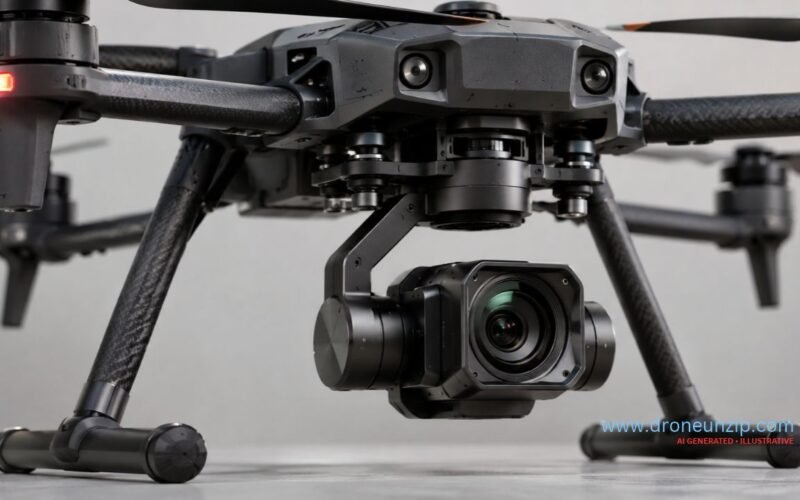
A drone gimbal is a mechanical stabilization system that keeps a camera or sensor payload pointed in a controlled direction as the drone moves. It uses motors, motion sensors and a controller to compensate for unwanted rotation, helping produce smoother aerial footage and more consistent camera framing.
As a drone pitches forward, rolls sideways or turns, its gimbal can move the camera independently of the airframe. A three-axis gimbal addresses pitch, roll and yaw, but this does not mean every axis has unlimited travel or that all gimbals deliver identical stabilization accuracy. Some drones use two-axis mechanisms supplemented by electronic image stabilization (EIS).
This guide explains how drone gimbals work, their main components and types, mechanical versus electronic stabilization, camera-pointing modes, autopilot integration and what to check before choosing or troubleshooting a gimbal.
What Is a Drone Gimbal?
A drone gimbal is a motorized camera mount that stabilizes and, in many systems, aims an onboard imaging payload. Its job is to reduce unwanted camera rotation while allowing intentional camera movement. When a quadcopter tilts forward to accelerate, a rigidly mounted camera tilts with it; a suitable gimbal can counter-rotate to preserve the requested framing.
A gimbal is not the aircraft’s flight controller. The flight controller regulates the aircraft’s movement through motors and other actuators, while the gimbal controller manages the camera’s orientation. The two systems can communicate, but have different responsibilities. Our Drone Flight Controllers Explained guide details the aircraft side of that distinction.
A gimbal cannot guarantee perfectly sharp images or fully eliminate vibration. Flight conditions, camera exposure, rolling shutter, mechanical damping, payload balance and the gimbal’s control limits all influence results.
How Does a Drone Gimbal Work?
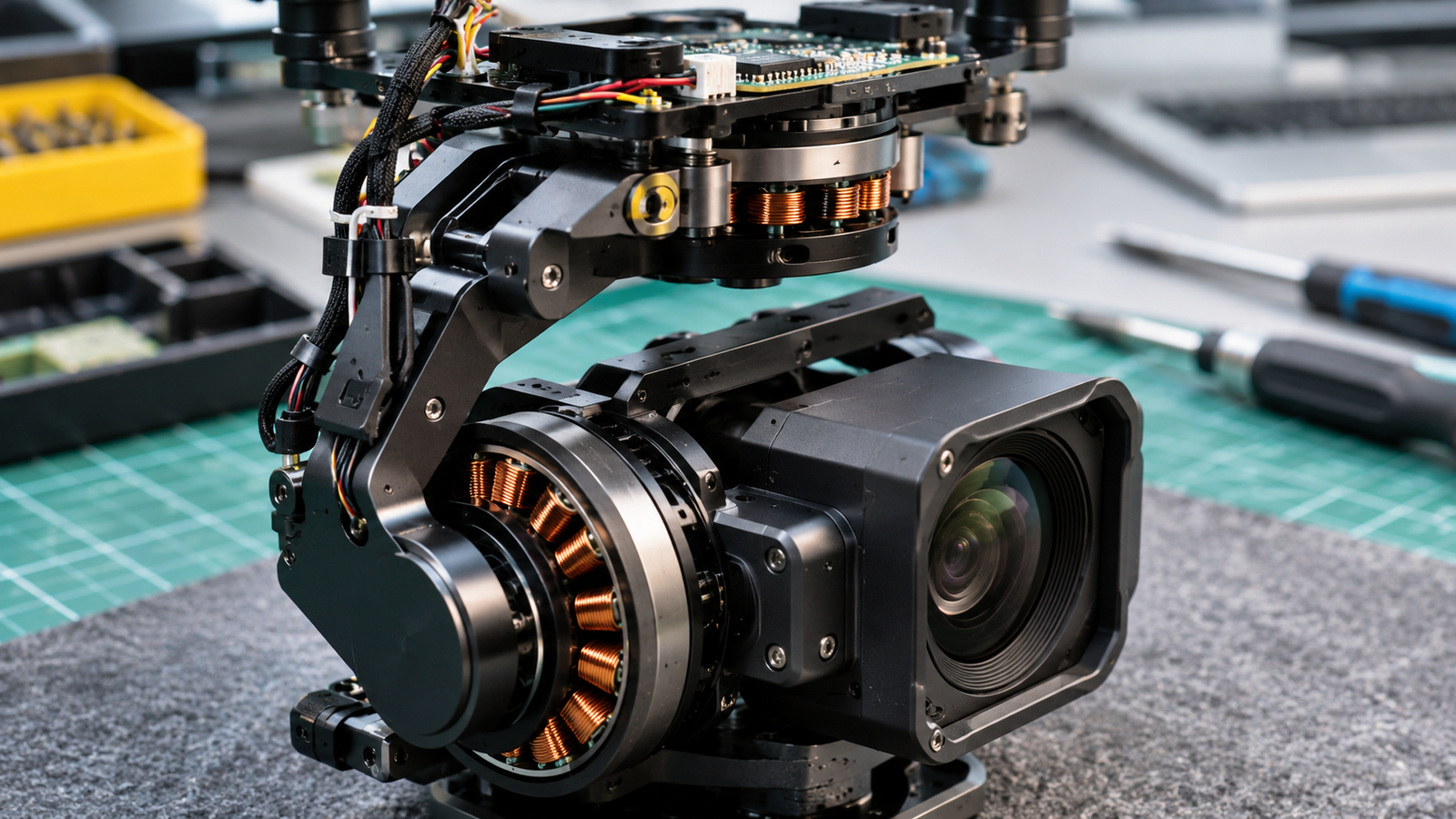
Most powered camera gimbals use closed-loop feedback. The system measures camera motion, estimates the difference from the desired orientation and commands corrective motor torque. The feedback repeats as the aircraft moves.
- Sensing: Gyroscopes and other supported measurements detect camera rotation or orientation; some gimbals also use position encoders.
- Estimation: The gimbal’s electronics determine the current camera movement and orientation relative to its intended reference.
- Control: Software calculates the correction needed to maintain or change the camera’s direction.
- Motor response: Motors rotate the gimbal axes to oppose unwanted motion or follow an intentional camera command.
- Feedback: Updated measurements allow further corrections.
Example: Holding a level horizon while the drone banks
Imagine a drone circling a tower and rolling slightly during the turn. A rigid camera would roll with the airframe, tilting the recorded horizon. A gimbal that stabilizes roll can rotate the camera in the opposite direction to help maintain its level orientation. Other axes may simultaneously track the camera’s requested pitch or yaw.
Correction is subject to mechanical travel, motor torque, control bandwidth and operating conditions. High-frequency vibration, translational motion and motion blur are not necessarily corrected by rotational stabilization. Vibration isolators and, where supported, EIS may address different parts of the problem.
Main Components of a Drone Gimbal
Mechanical frame and rotating joints
The mechanical frame supports the camera and provides movement about one or more axes. Its construction influences clearance, stiffness, payload compatibility and the range through which the camera can rotate. The frame must be rigid enough for accurate positioning without imposing excessive weight on the aircraft.
Brushless gimbal motors
A powered gimbal commonly uses controlled brushless motors to rotate or hold its axes. These motors are selected to position a payload, not to generate propeller thrust. Each controlled mechanical axis may have its own motor.
Inertial and position sensors
Gyroscopes and other inertial sensors provide information about camera motion. Some systems incorporate motor encoders or Hall-effect position sensors for additional feedback. Exact sensor arrangements vary, so it would be inaccurate to assume all gimbals have identical electronics. For additional background, read Drone Sensors Explained.
Gimbal controller and vibration isolation
A dedicated controller processes sensor data and regulates motor commands. It may also implement camera-following modes, calibration and communication with the drone or ground station. Dampers and isolation mounts can limit the transfer of selected airframe vibrations to the camera, provided they are appropriate for the payload and mounting arrangement.
Power and communication
Integrated camera drones often use manufacturer-specific assemblies and connectors. Modular gimbals can expose documented power, camera-control and autopilot interfaces. Compatibility depends on exact electrical and software requirements, not merely connector appearance.
Understanding Pitch, Roll and Yaw
| Axis | Camera movement | Practical example |
|---|---|---|
| Pitch | Camera points higher or lower | Tilt down to inspect a rooftop |
| Roll | Camera rotates around its forward viewing direction | Keep the horizon level while the drone banks |
| Yaw | Camera pans horizontally left or right | Track the side of a structure without turning the aircraft |
Mechanical range is how far the joint can physically move. Controllable range is the operator-commandable movement, which may be smaller. Stabilization performance describes how accurately the camera resists unwanted movement in stated conditions. These are three different specifications.
A three-axis stabilization claim does not imply unrestricted or operator-commandable movement on all three axes. For example, some manufacturer specifications identify roll movement as stabilization-only.
Types of Drone Gimbals: 1-Axis, 2-Axis and 3-Axis
Gimbals are often described by the number of mechanically controlled rotational axes, but this count alone does not measure final video quality.
One-axis gimbals
A one-axis mechanism moves or stabilizes the camera around one direction, often pitch. It can adjust viewing angle but cannot mechanically correct rotation around the other axes unless configured for a different single axis.
Two-axis gimbals
Two-axis systems mechanically stabilize two directions, commonly pitch and roll, though configurations vary. They can reduce moving hardware compared with a three-axis mechanism and may be supplemented by electronic stabilization.
Three-axis gimbals
A three-axis design provides physical stabilization or controlled movement around pitch, roll and yaw within its supported limits. This can help maintain framing during complex aircraft manoeuvres, but actual effectiveness still depends on motors, sensors, payload and the rest of the imaging system.
| Characteristic | 1-axis | 2-axis | 3-axis |
|---|---|---|---|
| Mechanical axes | One | Two | Three |
| Typical capability | Single-direction movement or correction | Two-direction correction | Pitch, roll and yaw correction |
| Main limitation | Other rotations uncompensated mechanically | Third axis may require other compensation | Added complexity; still limited range |
| Guaranteed image quality? | No | No | No |
A useful real-world counterexample to simplistic axis comparisons is the original Parrot ANAFI, documented with a hybrid arrangement combining two mechanical axes and electronic stabilization. The ANAFI Ai documentation describes a different configuration with three-axis mechanical stabilization and additional EIS. Parrot’s technical specification illustrates why the entire stabilization architecture matters.
Mechanical Gimbal vs Electronic Image Stabilization
Mechanical stabilization physically moves the camera to oppose unwanted rotation before or during image capture. Electronic image stabilization digitally adjusts image frames, often using cropping and geometric transformations, to compensate for visible movement.
| Factor | Mechanical gimbal | Electronic image stabilization |
|---|---|---|
| Method | Physical camera rotation | Digital image adjustment |
| Dedicated motors | Usually required | Not inherently required |
| Correction timing | Changes optical pointing during capture | Operates on captured image data |
| Field of view | No inherent EIS crop | Often needs processing margin or crop |
| Main limits | Motor response, mechanical travel, payload balance | Available image data, motion artifacts, software |
| Can combine? | Yes | Yes |
Hybrid stabilization can use the mechanical gimbal to manage larger rotations and EIS to correct residual image movement. That arrangement is not automatically better than every mechanical-only design. The result depends on camera optics, sensor, processing and the movement being corrected.
A gimbal does not automatically eliminate motion blur caused by long exposure, rolling-shutter distortion or vibration from loose airframe components. See 4K Drone Cameras Explained for the separate roles of image resolution and stabilization.
How Brushless Gimbal Motors Work
Brushless gimbal motors generate controlled torque using electromagnetic interaction between the motor’s coils and magnets. The controller supplies appropriate currents to rotate or hold the camera’s axis against disturbances. This is different from the sustained high-speed rotation required of propulsion motors.
Correct balancing is important because a camera with an offset center of gravity can impose a persistent torque demand on the motor. This may reduce the available control margin, increase power use or worsen stability. Gremsy’s gimbal balancing guidance emphasizes configuring the assembly for the intended camera and payload.
Motor size alone is not a reliable indicator of stabilization quality. Payload mass, moment of inertia, mechanical geometry, feedback sensing and control tuning all matter. When the frame or camera vibrates at problematic frequencies, mechanical resonance can affect performance; changing tuning parameters blindly can worsen the issue.
How Gimbals Communicate With Flight Controllers
A gimbal can be controlled locally, through the drone’s integrated electronics or through an external autopilot and ground station. In a compatible system, the flight controller can request a camera orientation or target while the gimbal controller regulates the physical motion.
Some systems use PWM-based control inputs; others support MAVLink-compatible communication and gimbal protocols. PX4’s gimbal documentation describes supported control arrangements, while ArduPilot’s mount-targeting guide explains camera mount pointing and region-of-interest (ROI) functions.
What is region-of-interest targeting?
An ROI command may request that a compatible gimbal point toward a specified location while the aircraft follows its own flight path. This is camera direction control, not proof of visual recognition or independent object tracking. It depends on navigation data, software support and the gimbal’s actual movement limits.
Drone Gimbal Modes: Follow, FPV and Lock
Follow mode
In a typical follow arrangement, the camera responds smoothly to supported aircraft heading changes while still compensating for unwanted movement on other axes. The exact relationship between aircraft yaw and gimbal yaw varies by manufacturer.
FPV mode
An FPV-style mode often allows more aircraft attitude or turning behaviour to appear in the camera view, creating a dynamic sense of motion. The axes involved and the amount of stabilization retained are product-specific.
Lock mode
A lock or free-orientation mode attempts to maintain a commanded camera direction independently of some aircraft movement. It remains constrained by physical travel and the controller’s supported reference frame.
Do not assume that modes with the same names behave identically on DJI, third-party and industrial gimbals. Product documentation should be the source of truth.
Drone Gimbals for Photography, Surveying and Inspection
Aerial photography and filmmaking
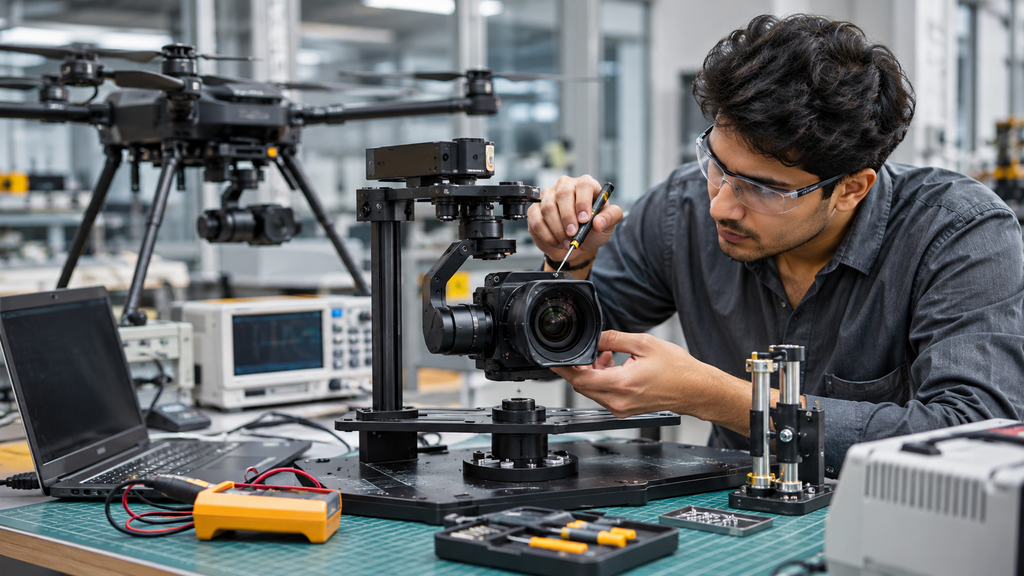
A gimbal helps photographers maintain composition during acceleration, turning and altitude changes, and supports deliberate tilt or pan movements. Exposure, optics, shutter behaviour and aircraft handling still affect footage quality.
Surveying and mapping
Maintaining a defined camera orientation can support mapping image capture, but a stabilized payload alone does not establish survey accuracy. Positioning, sensor calibration, overlap, ground control and processing remain separate requirements.
Infrastructure inspection
A controllable gimbal can point cameras toward bridges, towers, roofs or industrial structures while the drone maintains a suitable flight position. Required movement range and payload characteristics depend on the inspection target.
Agricultural and research payloads
Some UAV payloads benefit from controlled viewing geometry or integration with a mission system. Not every agricultural or research sensor needs a gimbal: the requirement depends on what the sensor must measure and how the aircraft carries it.
How to Choose a Drone Gimbal
Start with the actual camera, aircraft and mission. For a ready-to-fly camera drone, assess the entire integrated imaging system. For a modular UAV, select the payload and then verify gimbal mounting, power, pointing range and communication compatibility.
| Criterion | What to verify |
|---|---|
| Payload | Supported camera mass, dimensions, lens clearance and balance |
| Axes | Required pitch, roll and yaw stabilization |
| Travel | Mechanical and operator-controllable movement limits |
| Performance | Manufacturer’s stabilization specification and stated test conditions |
| Mounting | Aircraft interface and vibration isolation |
| Power | Supply range and electrical demand |
| Control | Pilot, autopilot, telemetry and protocol support |
| Maintenance | Calibration software, documentation and service |
A claimed angular error should only be compared across products when the metric and test conditions are comparable. A larger, heavier or more expensive gimbal is not necessarily a better fit for a small aircraft.
Common Drone Gimbal Problems and Troubleshooting
Gimbal warnings may stem from obstruction, misconfiguration, vibration, unsuitable balance or damaged components. Diagnose the specific symptom before replacing parts or changing advanced settings.
| Symptom | Possible reason | Safe initial action |
|---|---|---|
| Motor overloaded | Obstruction, cover, accessory interference or hardware fault | Power down and inspect for visible obstruction |
| Stuck at startup | Mechanical travel blocked or initialization error | Follow the manufacturer’s startup checklist |
| Tilted horizon | Alignment or calibration issue | Use the supported calibration procedure |
| Jitter or shaking | Airframe vibration, imbalance or damage | Inspect mechanical condition and documented diagnostics |
| No camera movement | Power, communication or mode/configuration fault | Check exact status messages and supported connections |
| Cannot hold direction | Mode selection, movement limit or control issue | Verify the operating mode and travel limits |
| Motor heat/noise | Excessive load, imbalance or fault | Stop operation and consult service guidance |
DJI’s support materials identify obstruction and protective accessories among possible causes of gimbal overload. Gremsy documentation discusses balancing and vibration on configurable gimbals. Never force a gimbal axis by hand or attempt flight with unresolved mechanical or electrical faults. Integrated camera drones may need manufacturer-authorized servicing.
FAQs
What does a drone gimbal do?
It stabilizes and positions a camera or sensor payload, helping maintain a desired view as the aircraft moves.
Is a three-axis gimbal always better than a two-axis gimbal?
No. It mechanically controls more rotational directions, but image quality depends on the complete system, including any EIS and the camera.
Can EIS replace a gimbal?
For some uses it can reduce visible shake, but it does not physically aim the camera and can introduce crop or processing artifacts.
Do all drones have a gimbal?
No. Some have fixed cameras, tilt-only mounts or electronic stabilization without a full mechanical gimbal.
Can a drone gimbal rotate 360 degrees?
Only certain products support extensive rotation. Many have limited mechanical or controllable travel.
Why is my drone gimbal shaking?
Possible causes include vibration, obstruction, imbalance, damage or controller configuration. Investigate the exact model and symptom.
Is gimbal stabilization the same as drone stabilization?
No. Flight stabilization manages aircraft movement; gimbal stabilization manages the camera’s direction.
Does a gimbal guarantee better photos?
It can help framing and camera orientation, but sharpness and image quality still depend on exposure, optics, sensor and conditions.
Can I add a gimbal to any drone?
No. The drone must support its mass, mounting, power and control requirements. Consumer models may not support third-party assemblies.
Do drone gimbals need calibration?
Some systems require or offer calibration under specific conditions. Follow the manufacturer’s procedure rather than adjusting mechanisms without guidance.
Conclusion: Choosing the Right Drone Gimbal
A drone gimbal is more than a camera mount. It is a controlled mechanical system that helps separate camera orientation from aircraft movement. Understanding its motors, sensors, mechanical axes and software makes stabilization claims easier to evaluate.
For photography, judge the full camera-and-gimbal system rather than axis count alone. For surveying, inspection and custom UAVs, payload compatibility, movement range and autopilot integration may be equally important. The best gimbal is the one that fits the actual mission, aircraft and camera, with reliable documentation and verified control capabilities.
